
While I was on holiday, I decided to leave my laptop behind (bad decision, always travel with your loved ones). At first, it was fine. However, last minute on the BlackHoodie Discord, I noticed there was a reverse engineering challenge by ProofPoint to win a free malware reverse engineering course by Invoke RE (and a Binary Ninja license!!!).
This seemed like the perfect opportunity to apply, since I decided to take the year off to career switch and learn vulnerability research and malware analysis.
However, as I mentioned, I did not take my laptop with me. I was stuck with my iPhone… 😩
The puzzle started out with a URL. The page had one line of cryptic text, and with a little of web CTF experience, I knew the interesting information was going to be in the website’s HTML code. Being on Safari, I couldn’t get/figure out how to view the HTML source code of a website, so instead I used an online cURL website, and I found what looked like a base64 encoded comment.
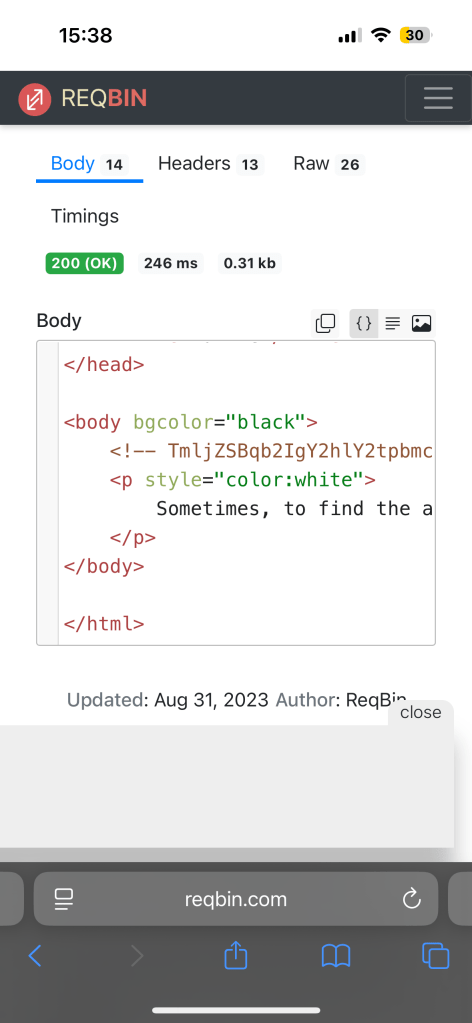
I decoded it to find a text saying something in the lines of “Good job, the exe is ProofPoint.exe”.
I figured that would be a page of itself so I went back to the original URL and navigated to /ProofPoint.exe and lo and behold, it downloaded (with my permission) an exe file.
Again, I am on my iPhone so I cannot run this file. However, I can reverse engineer it if I throw it in decompiler… But how?
I consulted some of my friends for this, and one suggested Binary Ninja Cloud (good option), and someone else suggested dogbolt.com. The latter one was perfect because the file size was small enough, and I could chose which decompiler I wanted.
I usually go with Binary Ninja (<3), however I decided to grab the decompiled pseudo C code from Hex-Ray’s IDA because it provided a little bit more information (the ASCII values) I needed to complete this challenge on my phone.
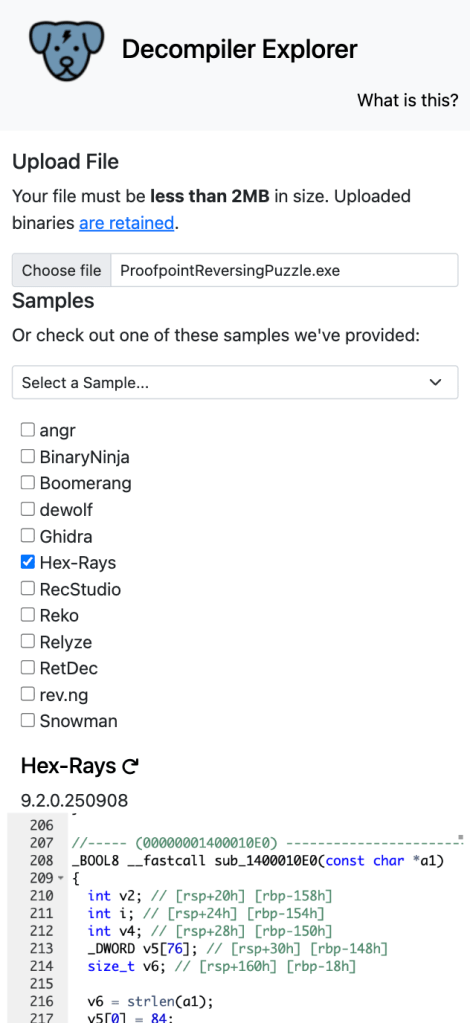
With this, I could start reverse engineering the logic without needing to run the exe.
The program required a passphrase in order to print a Google Form link that would allow me to sign up to the free malware reverse engineering course.
I won’t give out the solution here, but you basically had to provide a string (the passphrase) which had to validate a variable that matched the ASCII values. It was some sort of a cumulative sum check. Anyways…
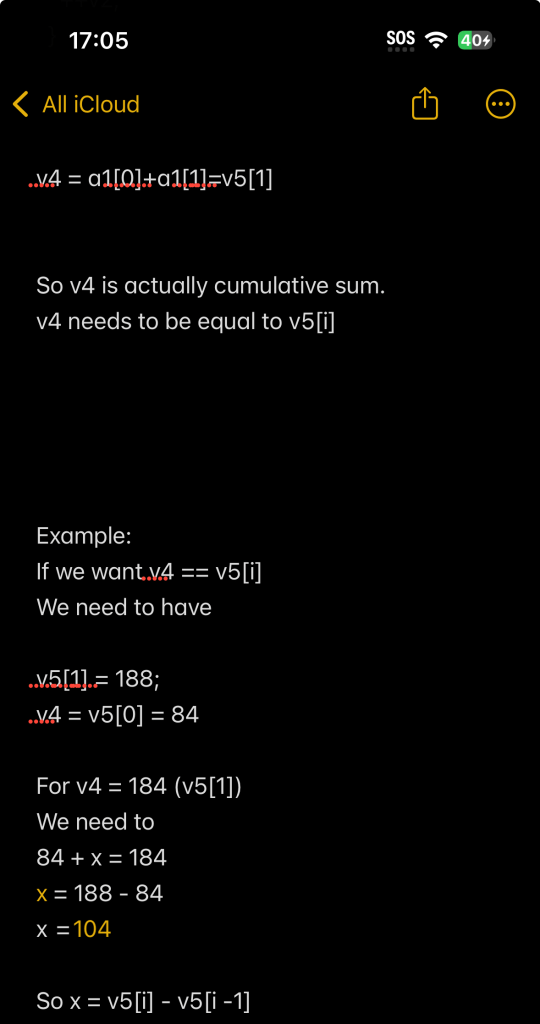
I took some notes, reversed the cumulative sum bit, wrote some pseudo python code, provided the ASCII characters and had an LLM decoded it for me. I then got the passphrase. (Yes, I could have used an online python repl, but the one I used to use somehow became an AI web application builder??? I think…)
I thought “Yay! Maybe I can also decode the Google Form URL? It’s in the binary, sooo…”. I did the same procedure, going back into the Main function and grabbing the ASCII values which were XOR’ed with the passphrase to provide the Google Form URL. I gave back my pseudo python-code to an LLM but somehow it wasn’t decoding the URL fully and I couldn’t access it. I thought I was cooked, that I wasn’t going to be able to submit the solution on time, also knowing there was ONE spot left!!!!

Turns out my URL was missing 6 characters so it was definitely a skill issue, but nonetheless, I still solved it. How, you may ask?
The overkill way was to create a remote VPS which ran some Linux distro, log into the server, install wine (windows emulator), download the challenge PE executable, run it, and enter the passphrase to obtain the URL.
Instead, I did:


And voilà, that was it. I wouldn’t solve a challenge on a phone again, but I was happy I learned that it was possible.
This makes me want to have a VPS, like DigitalOcean or something, so if I make the mistake of not taking my laptop with me again, I could still do some sort of hacking.
Hope this short story gives you confidence to start hacking on your phone :p


And I made it!!
 pamoutaf
Leave a comment